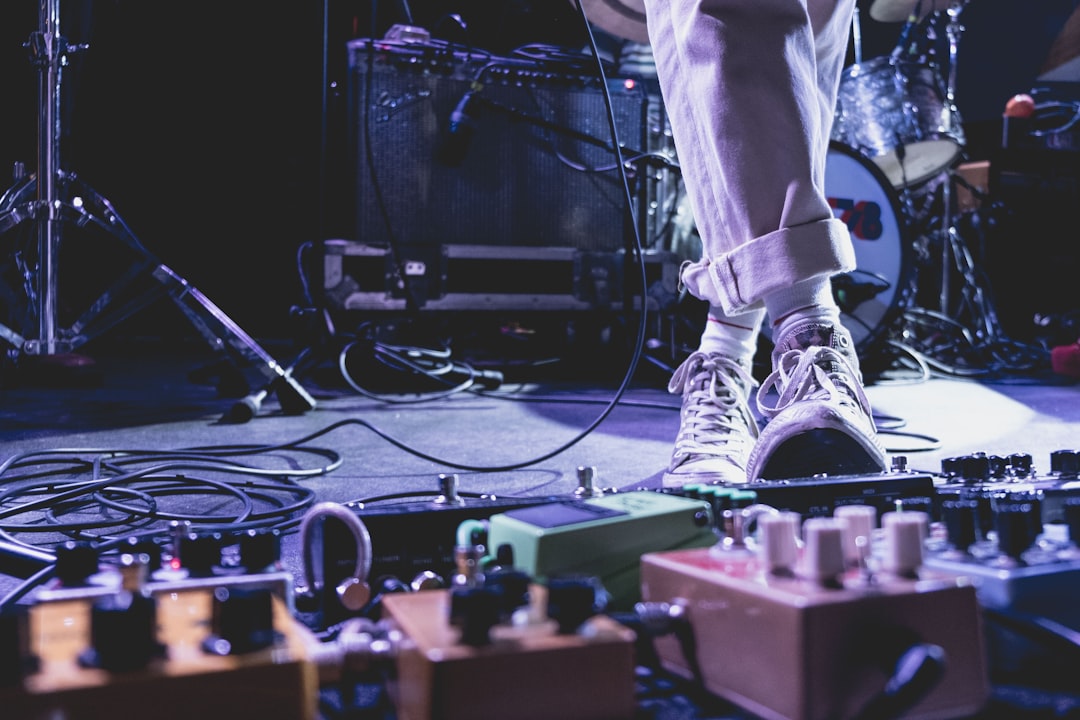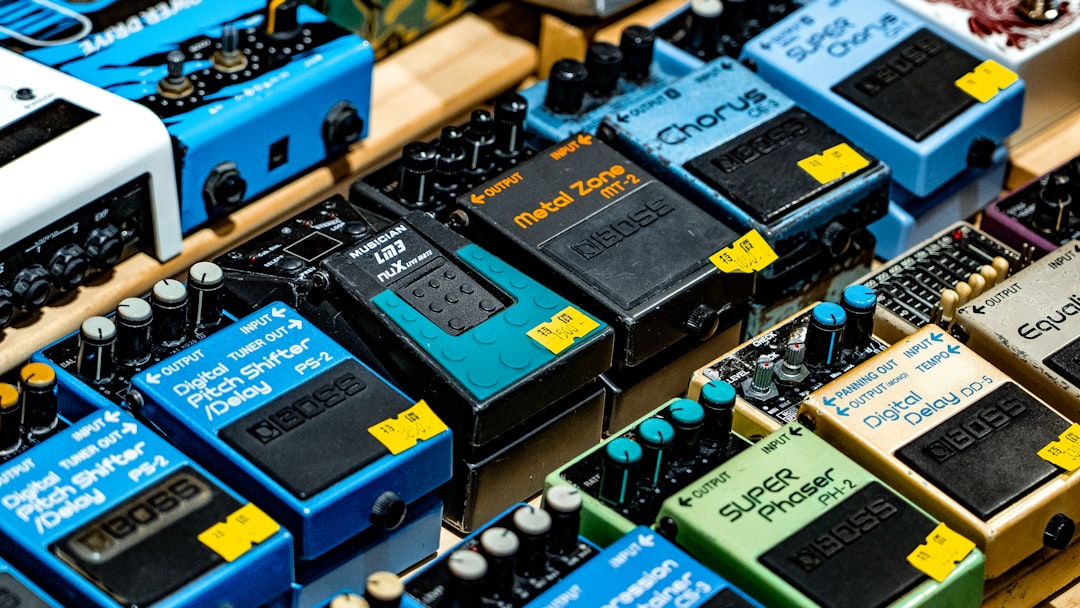

Guitar effects pedals are devices that alter the sound of an electric guitar. They are used to add different effects and textures to the guitar’s sound, allowing musicians to create unique and interesting tones. These pedals are an essential tool for guitarists of all levels, from beginners to professionals.
The importance of using effects pedals in music cannot be overstated. They allow guitarists to experiment with different sounds and styles, adding depth and dimension to their playing. Whether it’s a subtle delay effect or a heavy distortion, these pedals can completely transform the sound of a guitar and take a song to a whole new level.
Key Takeaways
- Guitar effects pedals can enhance your sound and add creativity to your music.
- There are different types of effects pedals, including distortion, delay, modulation, and multi-effects pedals.
- Choosing the right effects pedals for your music style is important for achieving the desired sound.
- Setting up your effects pedals correctly can optimize their performance and prevent technical issues.
- Tips for using distortion and overdrive pedals include adjusting the gain and tone controls to achieve the desired sound.
Understanding the Different Types of Effects Pedals
There are several different types of effects pedals, each with its own unique sound and purpose. Some of the most common types include distortion, overdrive, delay, reverb, modulation (such as chorus, phaser, and flanger), wah-wah, volume, and multi-effects pedals.
Distortion pedals are used to create a distorted or “dirty” sound. They add gain and saturation to the guitar’s signal, resulting in a heavier and more aggressive tone. Examples of popular distortion pedals include the Boss DS-1 and the Pro Co Rat.
Overdrive pedals, on the other hand, provide a more subtle and natural-sounding distortion. They are often used to add warmth and sustain to the guitar’s sound. Popular overdrive pedals include the Ibanez Tube Screamer and the Fulltone OCD.
Delay pedals create an echo effect by repeating the guitar’s signal at a set interval. This can be used to create a sense of space and depth in the music. The Boss DD-7 and the TC Electronic Flashback are popular choices for delay pedals.
Reverb pedals simulate the sound of playing in different acoustic spaces, such as a concert hall or a cathedral. They add a sense of ambience and can make the guitar sound more spacious and atmospheric. The Electro-Harmonix Holy Grail and the Strymon BigSky are well-known reverb pedals.
Modulation pedals, such as chorus, phaser, and flanger, add movement and texture to the guitar’s sound. Chorus pedals create a shimmering effect by duplicating the guitar’s signal and slightly detuning it. Phaser pedals create a swirling, “phasing” effect by splitting the guitar’s signal and altering the phase of one of the signals. Flanger pedals create a similar effect to phasers but with a more pronounced “swooshing” sound. Popular modulation pedals include the Boss CE-2 Chorus, the MXR Phase 90, and the Electro-Harmonix Electric Mistress Flanger.
Wah-wah pedals are used to create a vocal-like “wah” sound by altering the frequency response of the guitar’s signal. They are often used in funk and rock music to add expression and dynamics to the guitar playing. The Dunlop Cry Baby and the Vox V847 are classic examples of wah-wah pedals.
Volume pedals allow guitarists to control the volume of their instrument without having to adjust the guitar’s volume knob. They are often used for volume swells and creating dynamic changes in a performance. The Ernie Ball VP Jr. and the Boss FV-500H are popular choices for volume pedals.
Multi-effects pedals combine several different effects into one unit, allowing guitarists to access a wide range of sounds with just one pedal. They are a convenient option for musicians who want versatility and flexibility in their tone. Examples of popular multi-effects pedals include the Line 6 Helix and the Boss GT-1000.
Choosing the Right Effects Pedals for Your Music Style
When choosing effects pedals for your music style, it is important to consider what kind of sound you want to achieve and what genres you play. Different pedals excel in different styles of music, so it’s important to do your research and test out different pedals before making a purchase.
One way to research pedals is to listen to demos and reviews online. Many guitarists and gear enthusiasts upload videos on platforms like YouTube, where they showcase the sound and capabilities of different pedals. This can give you a good idea of what each pedal sounds like and how it might fit into your music style.
Another way to find the right pedals for your music style is to visit a local music store and try them out in person. Most stores have a selection of pedals that you can test with your own guitar and amplifier. This allows you to hear how the pedal interacts with your specific setup and gives you a chance to see if it suits your playing style.
It’s also worth considering the recommendations of other musicians who play similar styles of music. Online forums and communities dedicated to guitar gear are great places to ask for advice and get recommendations from experienced players.
Ultimately, the best way to choose the right effects pedals for your music style is to trust your ears and go with what sounds best to you. Everyone’s preferences are different, so it’s important to find the pedals that inspire you and help you achieve the sound you’re looking for.
Setting Up Your Effects Pedals for Optimal Performance
| Effect Pedal | Optimal Settings | Notes |
|---|---|---|
| Distortion | Gain: 12 o’clock, Tone: 2 o’clock, Level: 3 o’clock | Adjust gain to taste, tone for brightness, level for volume |
| Delay | Time: 9 o’clock, Feedback: 11 o’clock, Level: 12 o’clock | Adjust time for delay length, feedback for repeats, level for volume |
| Reverb | Decay: 2 o’clock, Tone: 12 o’clock, Mix: 12 o’clock | Adjust decay for length of reverb, tone for brightness, mix for amount of reverb |
| Chorus | Speed: 10 o’clock, Depth: 12 o’clock, Level: 12 o’clock | Adjust speed for rate of modulation, depth for intensity, level for volume |
Once you have chosen your effects pedals, it’s important to set them up properly in your signal chain for optimal performance. The signal chain refers to the order in which the pedals are connected between the guitar and the amplifier.
A common signal chain setup starts with a tuner pedal, followed by any filters or compressors, then distortion or overdrive pedals, modulation effects, delay and reverb pedals, and finally a volume pedal. However, there are no hard rules when it comes to setting up your signal chain, and you can experiment with different configurations to find what works best for you.
When setting up your pedals, it’s important to consider the order in which they are connected. For example, placing a distortion pedal before a delay pedal will result in a different sound than placing the delay pedal before the distortion. Experimenting with different pedal orders can lead to interesting and unique sounds.
It’s also a good idea to organize and label your pedals to make it easier to navigate your signal chain. Using Velcro or adhesive strips can help secure your pedals to a pedalboard, keeping them in place during performances. Labeling your pedals with tape or stickers can help you remember which pedal is which, especially if you have a large collection.
Tips for Using Distortion and Overdrive Pedals
Distortion and overdrive pedals are essential tools for guitarists looking to add some grit and aggression to their sound. While they may seem similar, there are some key differences between the two.
Distortion pedals are designed to create a heavily distorted sound by adding gain and saturation to the guitar’s signal. They are often used in rock and metal music to achieve a heavy and aggressive tone. Distortion pedals can range from mild overdrive-like tones to extreme high-gain sounds.
Overdrive pedals, on the other hand, provide a more subtle and natural-sounding distortion. They are often used to add warmth and sustain to the guitar’s sound. Overdrive pedals are commonly used in blues, rock, and country music to achieve a smooth and creamy tone.
When using distortion or overdrive pedals, it’s important to experiment with different settings to find the sound that suits your playing style. The gain control on these pedals determines how much distortion or overdrive is added to the signal. Higher gain settings will result in a more aggressive and saturated sound, while lower gain settings will provide a cleaner and more transparent tone.
It’s also worth experimenting with the tone controls on your distortion or overdrive pedal. These controls allow you to shape the frequency response of the pedal, allowing you to cut or boost certain frequencies. This can help you find the right balance and make your guitar sound sit well in a mix.
Another tip for using distortion and overdrive pedals is to experiment with stacking them. Stacking pedals means using multiple distortion or overdrive pedals together to create a unique and layered sound. This can result in a more complex and dynamic tone, allowing you to stand out in a crowded mix.
Enhancing Your Sound with Delay and Reverb Pedals

Delay and reverb pedals are essential for creating depth and atmosphere in your music. They can add a sense of space and ambience, making your guitar sound more spacious and immersive.
Delay pedals work by repeating the guitar’s signal at a set interval, creating an echo effect. They can be used to create simple slapback echoes or more complex rhythmic patterns. Delay pedals are often used in rock, pop, and ambient music to add depth and texture to the guitar’s sound.
When using a delay pedal, it’s important to experiment with different delay times and feedback settings. The delay time determines how long it takes for the repeated signal to be heard, while the feedback control determines how many times the signal is repeated. Higher feedback settings will result in more repeats, creating a more pronounced echo effect.
Reverb pedals simulate the sound of playing in different acoustic spaces, such as a concert hall or a cathedral. They add a sense of ambience and can make the guitar sound more spacious and atmospheric. Reverb pedals are commonly used in genres like rock, jazz, and ambient music to create depth and dimension in the music.
When using a reverb pedal, it’s important to experiment with different reverb types and decay settings. Reverb types can range from subtle room sounds to large hall or plate reverbs. The decay control determines how long the reverb lasts, with longer decay times creating a more pronounced and lingering reverb effect.
It’s also worth experimenting with the mix control on your delay or reverb pedal. The mix control determines the balance between the dry (unaffected) signal and the wet (effected) signal. Higher mix settings will result in a more pronounced effect, while lower mix settings will provide a more subtle and transparent sound.
Using Modulation Pedals for Creative Soundscapes
Modulation pedals, such as chorus, phaser, and flanger, are used to create unique and creative sounds. They add movement and texture to the guitar’s sound, allowing you to create interesting and dynamic soundscapes.
Chorus pedals create a shimmering effect by duplicating the guitar’s signal and slightly detuning it. This creates a thick and lush sound that can add depth and dimension to your playing. Chorus pedals are commonly used in genres like pop, rock, and funk to create a rich and spacious tone.
When using a chorus pedal, it’s important to experiment with different depth and rate settings. The depth control determines how pronounced the detuning effect is, while the rate control determines how fast the detuning occurs. Higher depth settings will result in a more pronounced chorus effect, while higher rate settings will create a faster and more noticeable modulation.
Phaser pedals create a swirling, “phasing” effect by splitting the guitar’s signal and altering the phase of one of the signals. This creates a sweeping sound that can add movement and texture to your playing. Phaser pedals are commonly used in genres like rock, funk, and psychedelic music to create a unique and psychedelic tone.
When using a phaser pedal, it’s important to experiment with different speed and depth settings. The speed control determines how fast the phasing effect occurs, while the depth control determines how pronounced the effect is. Higher speed settings will result in a faster and more noticeable phasing effect, while higher depth settings will create a more pronounced and intense modulation.
Flanger pedals create a similar effect to phasers but with a more pronounced “swooshing” sound. They achieve this by using a delay line to create a comb-filtering effect. Flanger pedals are commonly used in genres like rock, metal, and experimental music to create unique and dynamic sounds.
When using a flanger pedal, it’s important to experiment with different speed and depth settings. The speed control determines how fast the flanging effect occurs, while the depth control determines how pronounced the effect is. Higher speed settings will result in a faster and more noticeable flanging effect, while higher depth settings will create a more pronounced and intense modulation.
Tips for Using Wah-Wah and Volume Pedals
Wah-wah and volume pedals are often used to add expression and dynamics to your playing. They can help you create unique sounds and make your guitar playing more expressive.
Wah-wah pedals are used to create a vocal-like “wah” sound by altering the frequency response of the guitar’s signal. They are often used in funk and rock music to add expression and dynamics to the guitar playing. Wah-wah pedals are controlled by rocking a pedal back and forth, which changes the position of a potentiometer inside the pedal.
When using a wah-wah pedal, it’s important to experiment with different pedal positions to find the sound you’re looking for. Rocking the pedal forward will result in a brighter and more treble-heavy sound, while rocking it back will create a darker and more bass-heavy sound. You can also experiment with different playing techniques, such as using the wah-wah pedal in conjunction with picking or strumming patterns, to create unique sounds.
Volume pedals allow guitarists to control the volume of their instrument without having to adjust the guitar’s volume knob. They are often used for volume swells and creating dynamic changes in a performance. Volume pedals are controlled by rocking a pedal back and forth, which changes the position of a potentiometer inside the pedal.
When using a volume pedal, it’s important to experiment with different pedal positions to find the desired volume level. Rocking the pedal forward will increase the volume, while rocking it back will decrease the volume. Volume pedals can be used to create smooth and gradual volume swells, or to quickly mute the guitar’s signal for dramatic effect.
Creating Unique Tones with Multi-Effects Pedals
Multi-effects pedals are a convenient option for guitarists who want versatility and flexibility in their tone. These pedals combine several different effects into one unit, allowing you to access a wide range of sounds with just one pedal.
Multi-effects pedals typically include a variety of distortion, overdrive, delay, reverb, modulation, and other effects. They often have built-in amp modeling and cabinet simulation, allowing you to emulate different amplifier and speaker combinations.
One of the advantages of using a multi-effects pedal is that it allows you to save and recall presets. This means you can easily switch between different sounds and settings during a performance without having to manually adjust multiple pedals.
When using a multi-effects pedal, it’s important to spend time exploring the different effects and settings available. Experiment with different amp models, cabinet simulations, and effects combinations to find the sound that suits your playing style.
It’s also worth noting that while multi-effects pedals offer a wide range of effects and versatility, they may not always provide the same level of quality as individual stompboxes. This is because multi-effects pedals often use digital processing to recreate the sounds of various effects, whereas individual stompboxes are typically analog and offer a more authentic and organic sound. Additionally, multi-effects pedals can be more complex to navigate and program, requiring more time and effort to dial in the desired tones. However, for beginners or musicians on a budget, multi-effects pedals can be a convenient and cost-effective option.
FAQs
What are guitar effects pedals?
Guitar effects pedals are electronic devices that alter the sound of an electric guitar. They can be used to create a variety of different sounds and effects, such as distortion, delay, reverb, and more.
How do I connect my guitar effects pedals?
To connect your guitar effects pedals, you will need a patch cable for each pedal. Connect the output of your guitar to the input of your first pedal, then connect the output of that pedal to the input of the next pedal, and so on. Finally, connect the output of your last pedal to your amplifier.
What is the order of guitar effects pedals?
The order of guitar effects pedals can vary depending on personal preference, but a common order is: tuner, wah, compressor, overdrive/distortion, modulation (chorus, flanger, phaser), delay, and reverb.
How do I use a distortion pedal?
To use a distortion pedal, turn the pedal on and adjust the gain and tone knobs to your desired settings. The gain knob controls the amount of distortion, while the tone knob adjusts the overall tone of the distortion.
What is a delay pedal?
A delay pedal is an effects pedal that creates an echo effect by repeating the guitar signal at a set interval. The delay time and feedback controls can be adjusted to create a variety of different delay effects.
How do I use a reverb pedal?
To use a reverb pedal, turn the pedal on and adjust the decay and mix knobs to your desired settings. The decay knob controls the length of the reverb, while the mix knob adjusts the balance between the dry and wet signals.